
Guide to Fixing Blue Screen Issues on Windows PCs
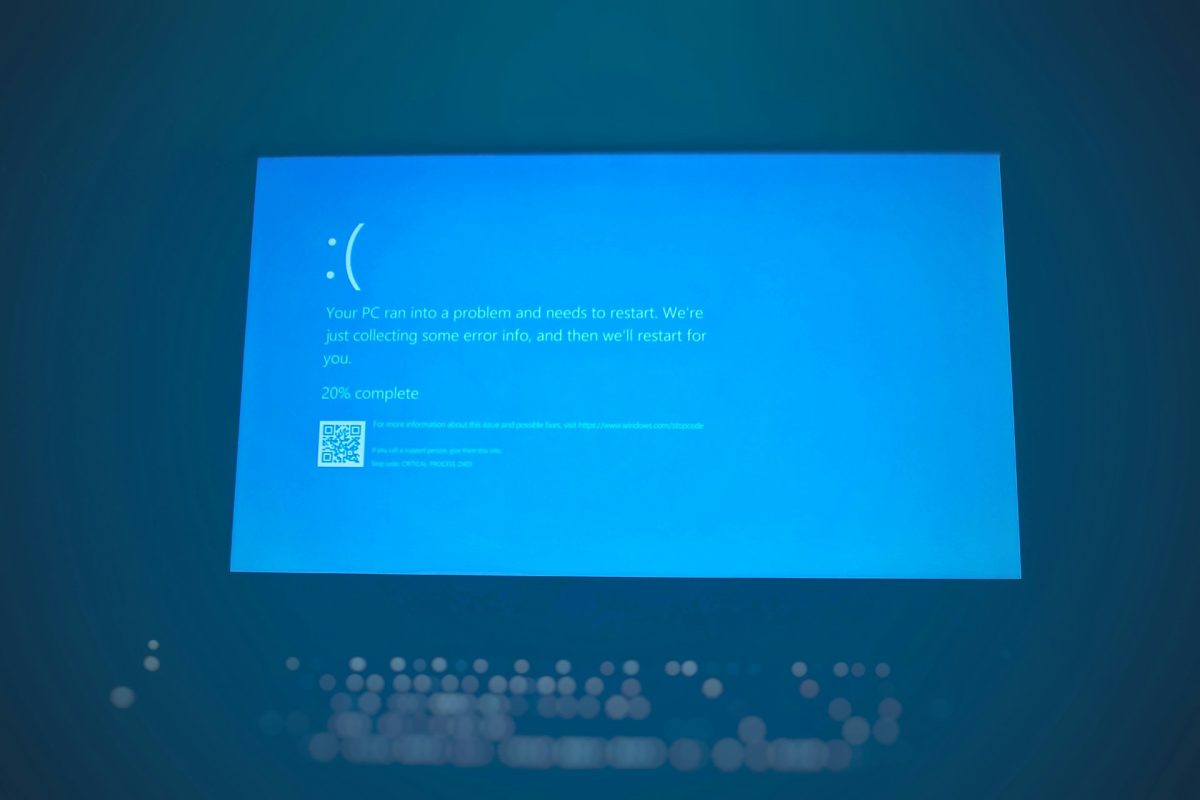
A Blue Screen on a Windows PC almost always comes out of nowhere. One minute you’re checking email or watching a video, and the next your screen turns solid blue with a bunch of white text. It feels like the computer suddenly quit on you. These screen errors are frustrating, but they aren’t the end of the road. They usually mean something in your system isn’t working right, and your PC is showing a warning to stop further damage.
That’s where having access to a local Windows repair service in New Port Richey can help. Instead of guessing or restarting over and over, skilled help makes it easier to pinpoint the issue and get your computer running again. This guide walks through what really causes those Blue Screens, what’s happening behind the scenes, and why safe support is usually the smartest first step.
Common Reasons for Blue Screen Problems
Most Blue Screens are caused by something breaking the normal process of a Windows PC. These problems tend to fall into two main groups: software issues and hardware issues.
Here are some of the usual software causes:
• Bugs in certain programs or updates that crash your system
• Drivers (the tools that help your computer talk to devices) that stop working or conflict with each other
• Problems during startup or shutdown, especially after recent installs
Then you have hardware causes. These can include:
• Overheated parts, especially after long hours of use
• Loose or aging memory sticks (RAM) that stop working mid-task
• Dust buildup or power supply issues in older systems
What makes Blue Screen problems tricky is that they often happen when you least expect it. You might not change anything, but something small behind the scenes can still push your system too far.
What Happens When You See a Blue Screen
When your computer hits a wall and throws a Blue Screen, it’s Windows trying to protect itself. The screen might show phrases like “Your PC ran into a problem” or even flash an error code like “0x0000007E.” These messages are meant to be helpful, but they can look scary if you’re not sure what they mean. The error codes and warnings provide valuable clues for further troubleshooting.
At this point, here’s what your computer is likely to do:
• Temporary freeze or stop letting you type or click
• Auto-restart like nothing happened
• Get stuck in a restart loop if the issue isn’t fixed
It can be tempting to push the power button repeatedly, but this won’t solve the root problem and might cause more harm. Each time a crash happens, the system logs pieces of information that can help with repair later, but only if left alone.
How Professionals Handle Blue Screen Repairs
Fixing Blue Screen errors isn’t usually about pressing a single button. It’s about looking at what went wrong and figuring out how to stop it from happening again. That’s why a proper Windows repair service can be such a help.
Here’s what happens during a typical Blue Screen checkup:
• Tests are run to see if any hardware might be failing
• Repairs are made to software settings or drivers causing the crash
• Full scans look for hidden problems, like malware or background updates gone wrong
What makes professional support stand out is the ability to test individual components without risking your system setup. Many fixes need careful steps or special tools that keep your files safe while checking what’s wrong underneath.
When It’s Time to Ask for Help
There are moments when a Blue Screen looks like a one-time thing, and you might feel like riding it out. But other times, your PC is calling out for help in ways that shouldn’t be ignored.
Here are some signs it’s time to stop trying fixes on your own:
• The Blue Screen happens more than once in a single day
• You hear ticking, buzzing, or fans speeding up with no clear reason
• You’ve done things like deleting apps or running antivirus scans, but it still crashes
Trying to fix things by rebooting or guessing can get in the way of deep repairs. In fact, repeated restarts before knowing what’s wrong can make it harder to recover things later, like files or settings tied to the crash.
Fixing smaller problems early usually helps avoid more expensive headaches down the line. If your work or personal files are involved, it’s especially smart to get support sooner instead of trying risky steps that backfire.
Get Your Computer Back on Track with Confidence
Blue Screen errors are frustrating but also common across almost every type of Windows device. They don’t mean your computer is useless or garbage. They just mean something went wrong and it needs attention. This article provides clear guidance for recognizing and addressing these unexpected interruptions.
By noticing small signs early and reaching out when restarts don’t help, most people find that fixes are very possible. The steps taken by someone with the right tools and experience can lead to long-term peace of mind, not just a quick patch. If your computer has crashed more than once and you’re not sure why, it doesn’t mean the whole system is lost. These problems have answers, and they often start with knowing when to let someone else take a closer look.
A crashing PC or persistent error screens shouldn’t slow you down. Our local experts in New Port Richey can take a closer look and help restore your computer to normal with a thorough Windows repair service that gets to the root of the problem even when the cause isn’t immediately clear. At Avant Computers, we have handled nearly every kind of issue and know how to manage them safely. Give us a call today, and let us get your computer running smoothly again.